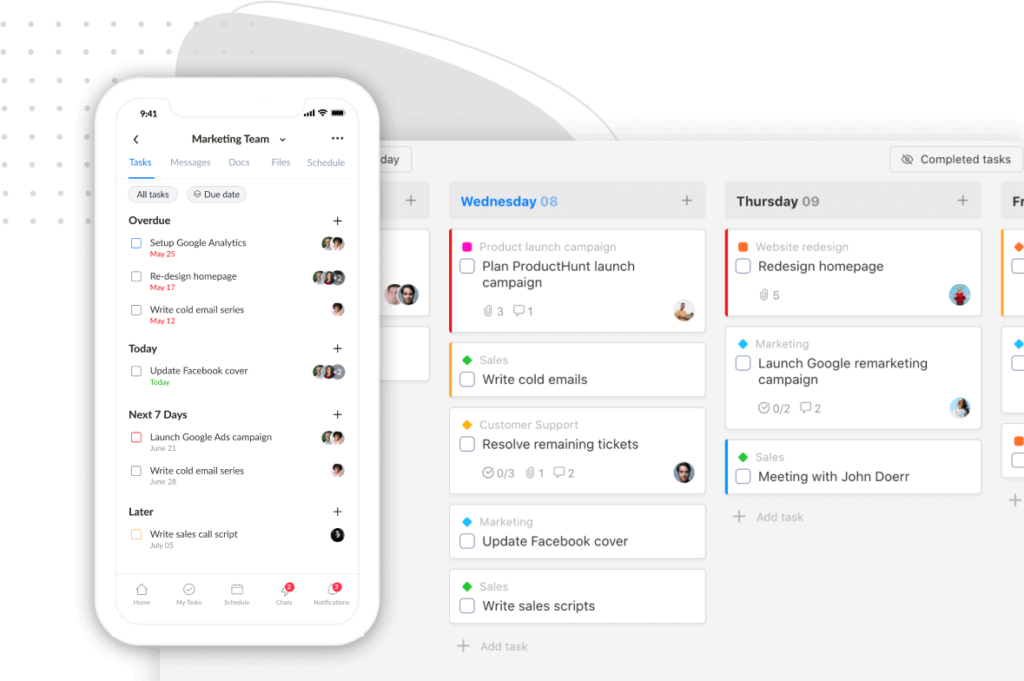
We’ve shipped three updates that all solve the same problem: getting to the things you reach for most often, without leaving whatever page you’re on.
Each one lives in the bottom Tray and has a single-key shortcut. Hit the key, do the thing, get back to work.
⌨️ The new shortcuts at a glance
- B — open Bookmarks
- N — open Notes (Notepad, Weekly Notes, Daily Notes)
- R — open Recents
All three open as modals over your current page, so you don’t lose your place.
📌 Bookmarks, upgraded
Bookmarks have been around for a while, and if you only had a handful of them, the old sidebar list worked fine.
But once you crossed a few dozen bookmarks across several groups, finding the right one became its own chore — scrolling the sidebar, expanding groups, hunting for the item.
We built a free resource board with the best tools, templates, and guides for running a small agency. No signup required.
Browse the Agency Resource Hub →This release fixes that.

What’s new:
- Open from anywhere. Press B or click Bookmarks in the bottom Tray to open the Bookmarks modal from any page in Upbase — a project, a doc, a chat, anywhere. (Before, bookmarks only lived in the left sidebar and the Daily Planner.)
- Groups are now tabs. Inside the modal, your bookmark groups show as tabs across the top. Click a tab to filter the list. Your last-opened tab is remembered, so you land back where you left off.
- Search across all groups. Click the Search icon (or press F inside the modal) to search every bookmark you have, regardless of which group it’s in. Type, arrow-key to the right result, hit Enter to open it.
- Bookmarks now show in the Daily Planner. Alongside Weekly, Daily, Notepad, and Recent, there’s a new Bookmarks tab — so the items you reference daily sit right next to the day you’re planning.
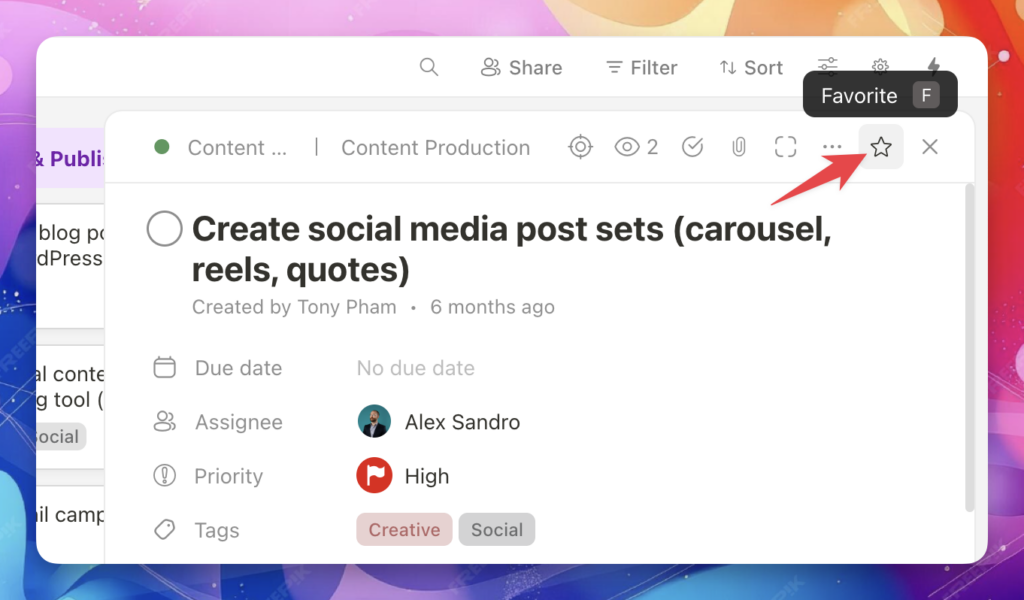
- Way easier to bookmark anything. Open any task, doc, file, or message and click the star (Favorites) icon in the top-right corner. From there you can Pin to Tray or save to a Bookmark group — including creating a new group on the spot. Press F to open the Favorites menu without touching your mouse, then use arrow keys + Enter to pick a group.
Why this matters: Most people only work on 20% of their tasks, docs, and projects frequently — the other 80% is reference or archive. Bookmarks let you keep that frequent 20% one keystroke away, so you stop hunting through the sidebar every time you switch contexts.
📝 Notes from anywhere
Until now, your Weekly Notes and Daily Notes only lived inside the Daily Planner. If an idea hit you while you were deep in a project or a doc, you had to navigate away to capture it — and lose your place in the process.
Now you don’t.
Press N or click Notes in the bottom Tray, and the Notes modal opens right over your current page. It has three tabs: Notepad, Weekly Notes, Daily Notes.

A few things worth knowing:
- The modal remembers the last tab you had open. If you were mid-thought in Weekly Notes, hit N again later and you’re right back where you left off.
- It’s the same Notepad and the same Weekly/Daily Notes you already use in the Daily Planner — just accessible from anywhere now.
- Brain dump workflow: hit N, jot the idea down, close the modal, keep working. No context switching.
🕒 Recents, one keystroke away
If you bounce between projects all day, you’ve probably hit this: you were just looking at a task in Client A, switched to Client B to answer something, and now you want to get back to that task — but you can’t remember exactly where it was.
Recent items used to live inside the global Search modal. That was the wrong mental model: when you want to get back to recent work, you’re not in a “search” mindset — you just want the thing you were just looking at. Forcing people to open Search to find recents is friction, and it didn’t include recent projects either.
The new Recents modal fixes both. Press R or click Recents in the bottom Tray, and you get a list of every item and project you’ve viewed recently, sorted by most recent first. Click to jump straight back in.

No more switching back and forth between projects just to find the thing you were looking at five minutes ago. And no more wondering which modal to open to get there.
P.S. Not seeing the updates? Do a hard refresh to make sure you’re on the latest version.
Thanks for being part of the Upbase journey! 🚀
Recent updates
- 7 updates to make working with tasks faster June 8, 2026
- 🎉 New in Upbase: Rename and reorder modules, resizable sidebar, and description templates May 21, 2026
- 🎉 New in Upbase: Workspace timeline and Daily review May 5, 2026
- 🎉 New in Upbase: Retainer billing and the Profitability Report April 22, 2026
- 🎉 New in Upbase: Profit Tracking and a smarter way to log time March 25, 2026