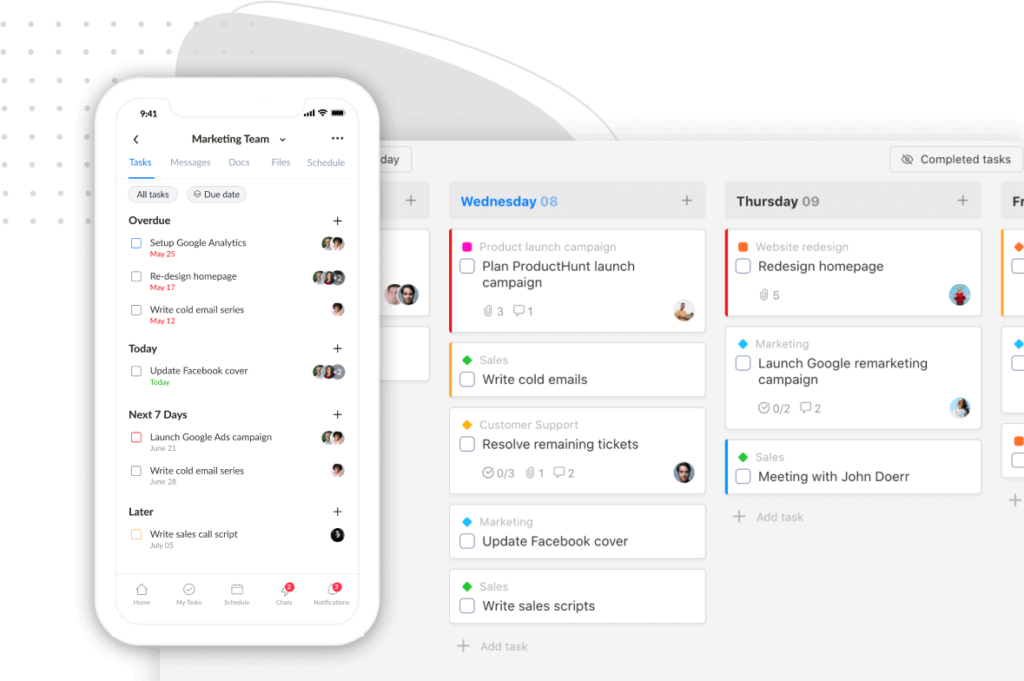
We’re excited to introduce Custom Fields, our most requested feature. Now you can personalize your Upbase experience like never before. With Custom Fields, you can add specific data fields to tasks, tailoring them to fit your unique workflow and needs.
Check out this guide on Custom Fields for more details.
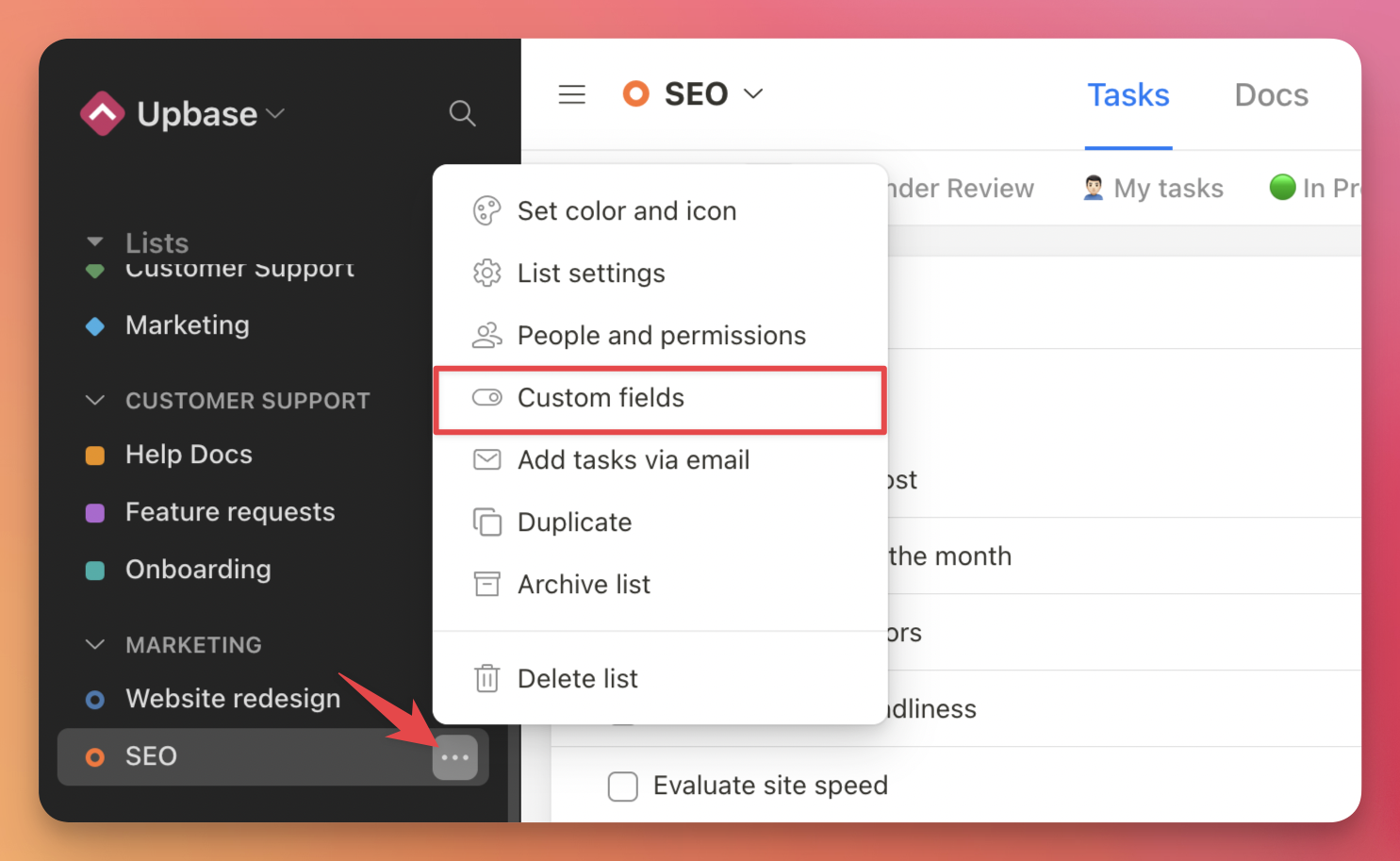
To access the Custom Fields page, click the ellipsis icon next to the list name and select “Custom fields”:
On this page, you can view, add, edit, and delete all of your custom fields.
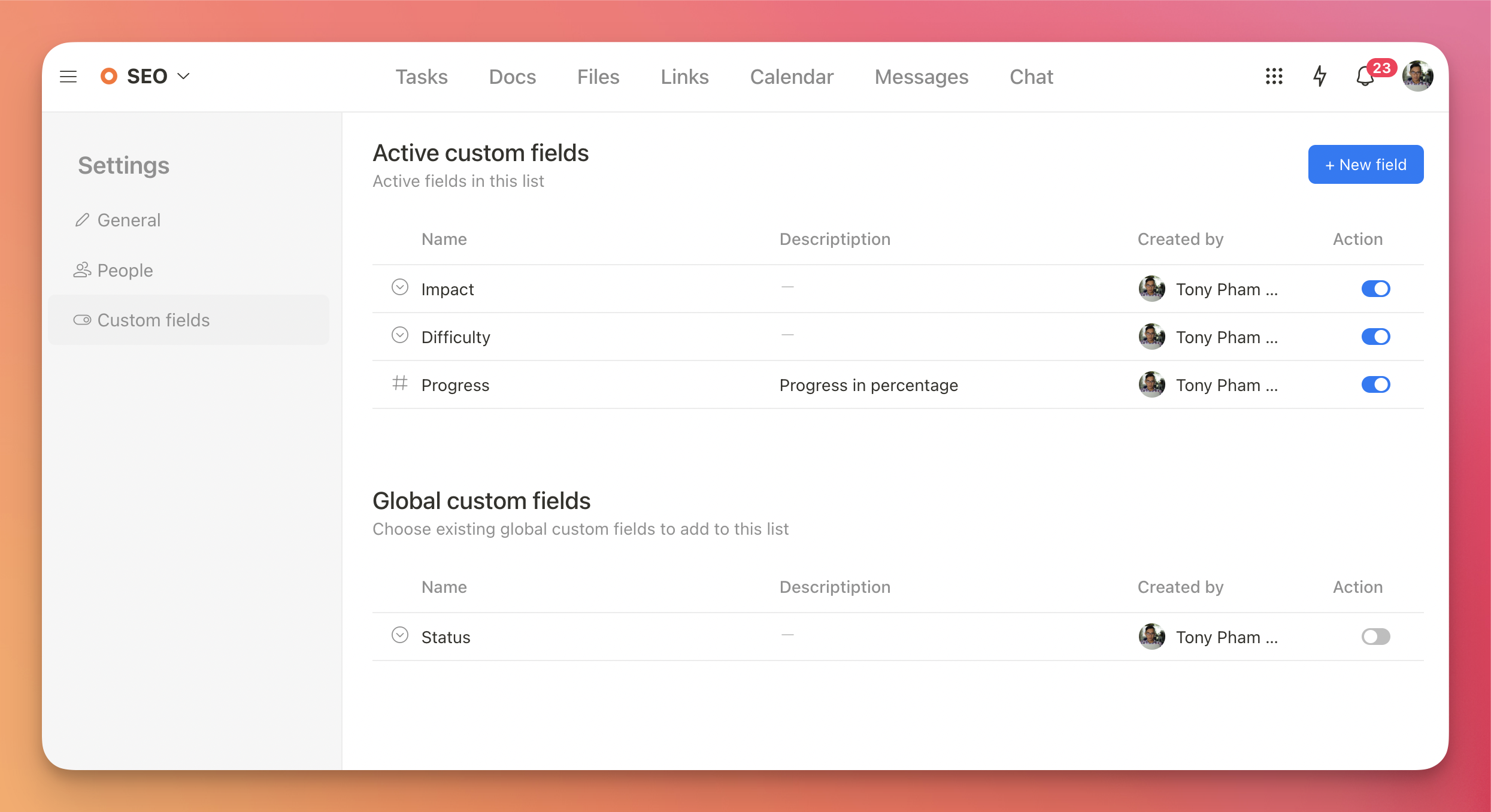
Click the “New field” button to create a new field for the list.
We built a free resource board with the best tools, templates, and guides for running a small agency. No signup required.
Browse the Agency Resource Hub →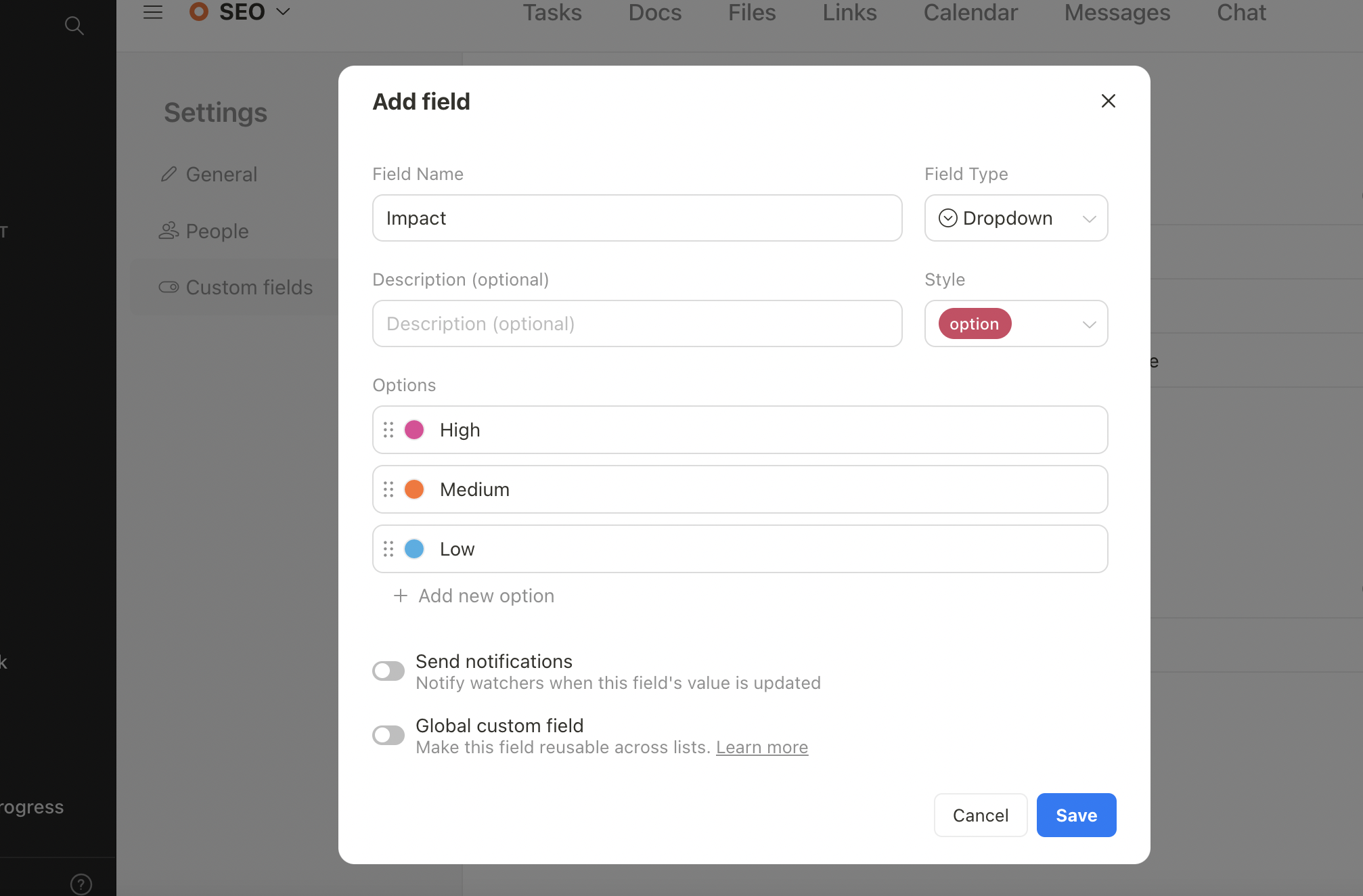
You can view your tasks along with their custom fields in list view, board view, and task details.
List view

Board view

You can update the field’s values directly on the task cards without opening the task details page.

Task details

This initial version includes three popular custom field types: Dropdown (Single-select), Number, and Text. More field types and improvements are on the way. Stay tuned for updates.
P.S.: Click the Reload button to update the app to the latest version. Alternatively, you can clear your cookies and reload the app.
Recent updates
- 7 updates to make working with tasks faster June 8, 2026
- 🎉 New in Upbase: Bookmarks, Notes, and Recents — now one keystroke away from anywhere May 28, 2026
- 🎉 New in Upbase: Rename and reorder modules, resizable sidebar, and description templates May 21, 2026
- 🎉 New in Upbase: Workspace timeline and Daily review May 5, 2026
- 🎉 New in Upbase: Retainer billing and the Profitability Report April 22, 2026