Quick note: We’ve moved product feedback and roadmap requests from Canny to Featurebase.
For new feature requests or ideas, please visit 👉 https://upbase.featurebase.app/
Small updates, big time savings. We’ve added new ways to create tasks faster, control shared boards, and keep your workspace clean and focused. Let’s take a look 👇
Bulk add tasks
You can now create multiple tasks (or subtasks) at once by pasting a list—one line per item.
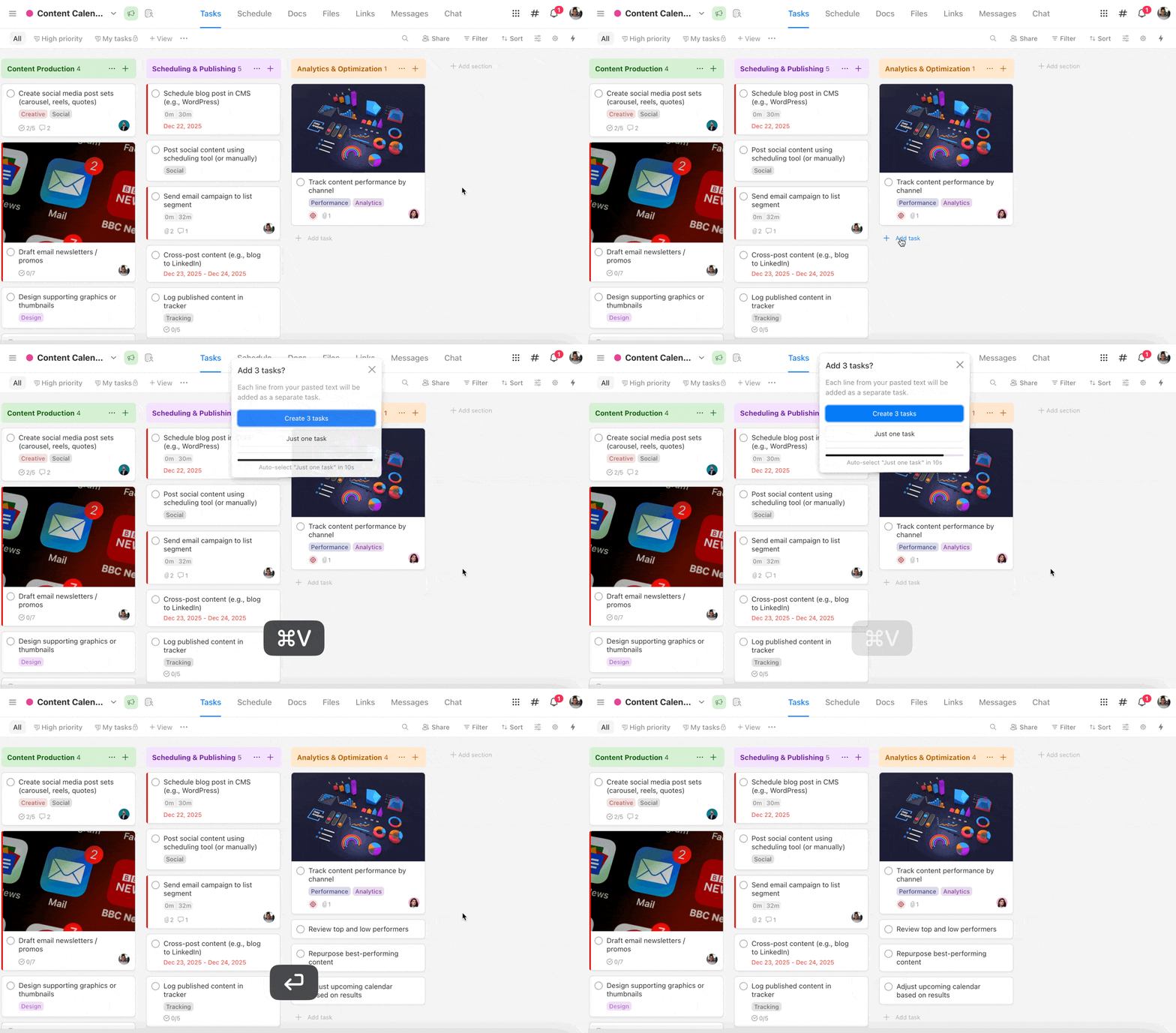
How it works:
- Go to Board view (including Daily or Weekly Planner)
- Click Add task
- Paste multiple lines into the task field
- Confirm, and each line becomes its own task on the board
You can also bulk add subtasks by pasting multiple lines inside a task.
We built a free resource board with the best tools, templates, and guides for running a small agency. No signup required.
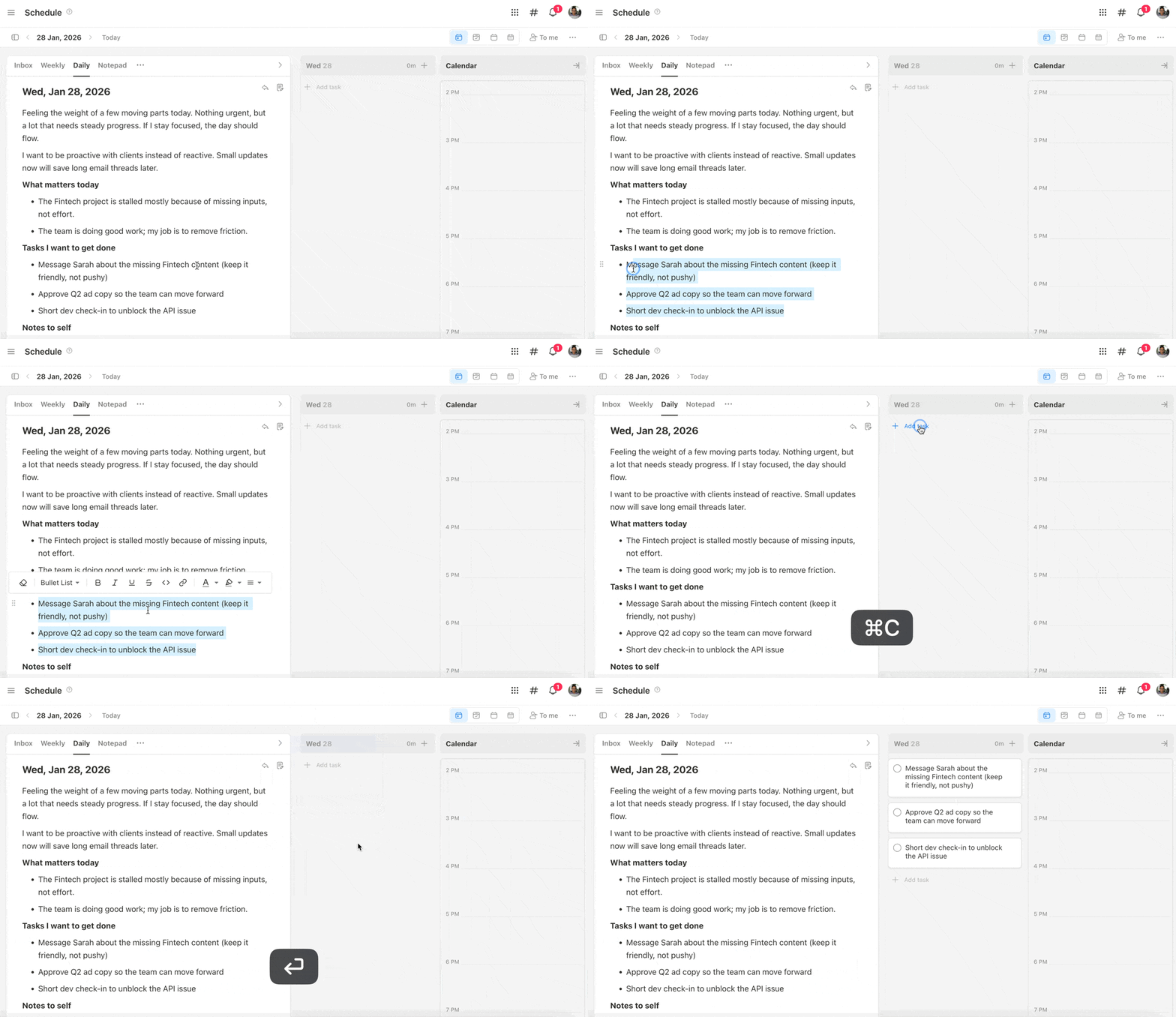
Browse the Agency Resource Hub →This is perfect for turning daily notes into tasks, importing lists from another app, or quickly planning a project without adding items one by one.
Show or hide custom field labels on task cards
You’re in control of how much detail shows on your board. Toggle custom field labels on or off to keep cards clean or fully detailed—your choice.

More control when sharing public task boards
Sharing just got more flexible:
- Hide the Upbase watermark
- Disable the Duplicate button
Great for client-facing boards or when you want tighter control over shared views.

Other updates
- Audio player support in Files and task attachments
- Clear formatting option in task descriptions and docs
- H2 and H3 headings in task descriptions for better structure
- “Create project” button added to the Client Dashboard.
P.S. Not seeing the updates? Try a hard refresh on your browser to make sure you’re using the latest version of Upbase.
Thanks for being part of the Upbase journey! 🚀
Recent updates
- 7 updates to make working with tasks faster June 8, 2026
- 🎉 New in Upbase: Bookmarks, Notes, and Recents — now one keystroke away from anywhere May 28, 2026
- 🎉 New in Upbase: Rename and reorder modules, resizable sidebar, and description templates May 21, 2026
- 🎉 New in Upbase: Workspace timeline and Daily review May 5, 2026
- 🎉 New in Upbase: Retainer billing and the Profitability Report April 22, 2026