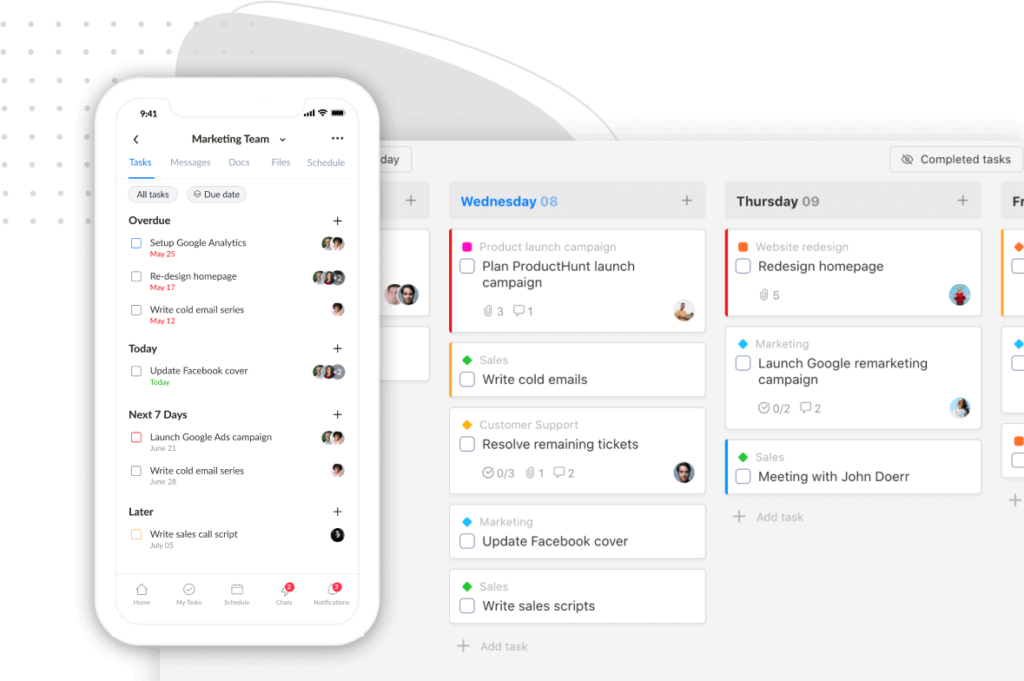
We’re excited to introduce Section Color! You can now assign colors to your list sections, making it easier to visually organize tasks and distinguish between sections at a glance.
Note: This is a Premium feature.
To set a color for a section, click the ellipsis icon on the section header and select “Section color”:

Next, choose a color and style:

There are up to 5 styles for you to pick from:
We built a free resource board with the best tools, templates, and guides for running a small agency. No signup required.
Browse the Agency Resource Hub →
In Calendar views in a list, tasks will be color-coded by their section, making them easy to spot at a glance.

New Task Colors in Calendar Views
Tasks in global calendar views are color-coded by their list, and now feature an updated, eye-friendly color theme for a more refined look.
Before

Now

That’s all for now. We hope these updates enhance your experience with Upbase. We’ve got a lot of exciting features and improvements coming soon, and we’re working hard to get them ready for you as quickly as we can.
As always, we welcome your feedback and suggestions for making the app better.
Note: Please hard refresh your browser to update the app to the latest version.
Recent updates
- 7 updates to make working with tasks faster June 8, 2026
- 🎉 New in Upbase: Bookmarks, Notes, and Recents — now one keystroke away from anywhere May 28, 2026
- 🎉 New in Upbase: Rename and reorder modules, resizable sidebar, and description templates May 21, 2026
- 🎉 New in Upbase: Workspace timeline and Daily review May 5, 2026
- 🎉 New in Upbase: Retainer billing and the Profitability Report April 22, 2026