Two weeks ago we shipped Profit Tracking with Fixed Fee, Hourly, and Non-billable billing types. Today we’re adding the remaining two pieces.
📅 Retainer billing
If you run clients on a monthly retainer, you can now track profitability the same way you actually bill.
Open any project, go to the Profit tab, and choose Retainer as the billing type. You’ll set a monthly fee, included hours, and a billing cycle start date. Upbase handles the rest.
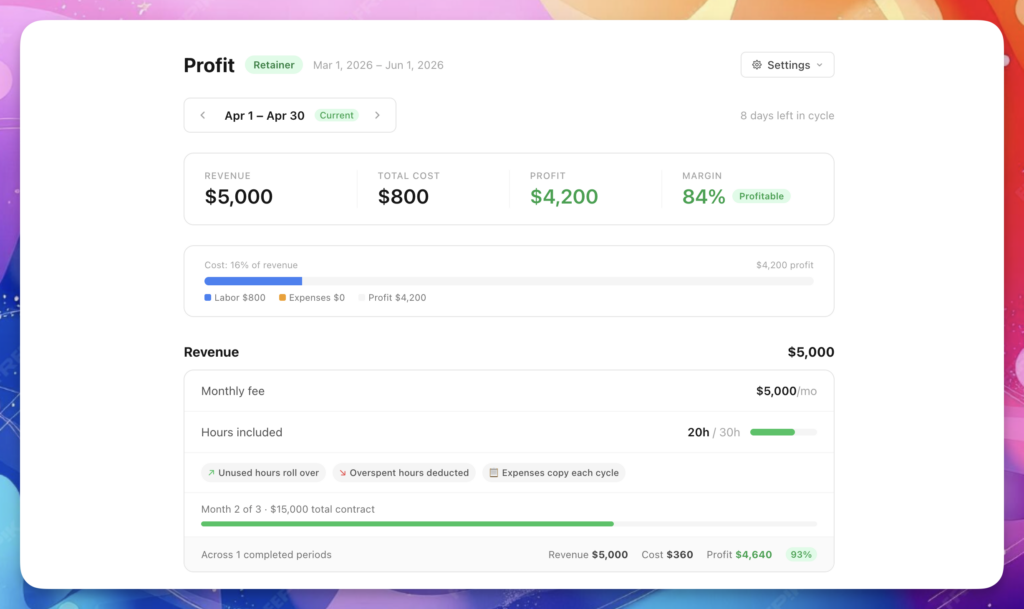
Each billing cycle gets its own view. Navigate between months to see revenue, labor cost, and margin per cycle, plus a cumulative summary across the full contract.
A few things worth knowing:
We built a free resource board with the best tools, templates, and guides for running a small agency. No signup required.
Browse the Agency Resource Hub →- Hour rollover is optional. You can roll unused hours into the next cycle, deduct overspent hours, or turn rollover off entirely.
- Billable hours only count against the included hours cap. Non-billable hours still affect your margin but don’t eat into the client’s purchased time.
📊 Workspace Profitability Report
The Profitability Report gives you a monthly view across every project and client in your workspace.
Go to Reports → Profitability to access it.
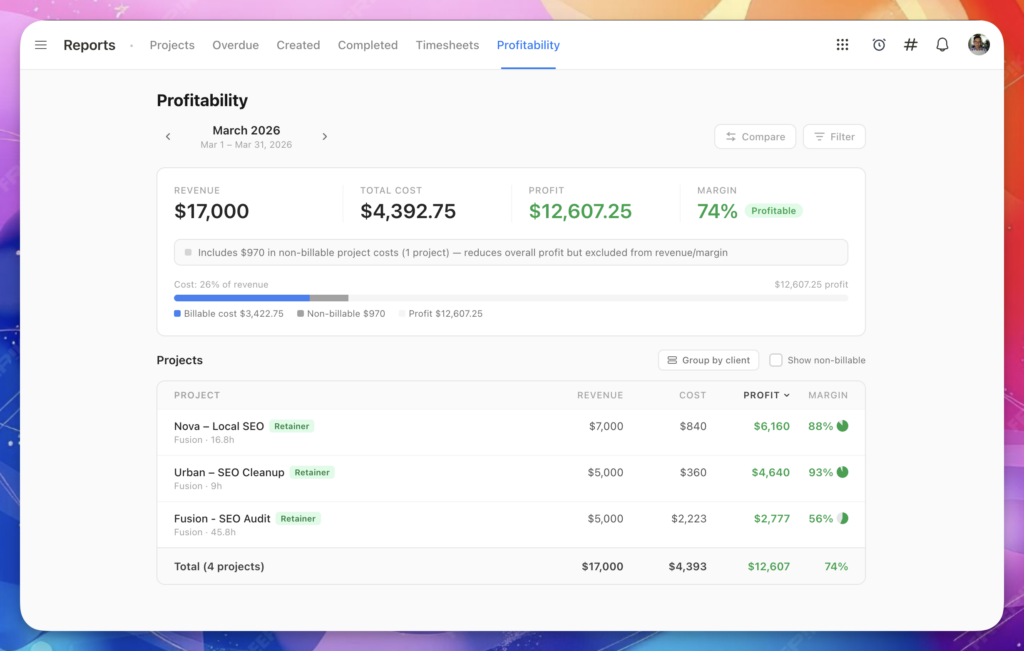
Use the arrows to navigate between months. For each month you can see revenue, labor cost, profit, and margin per project, with filters by client, project owner, and billing type.
A few things worth knowing:
- Compare mode shows how the current month stacks up against the previous one. Green means improvement, red means decline.
- Group by client clusters projects under their client with an aggregate summary.
- Non-billable toggle lets you include or exclude internal projects from the table.
For full setup details, see the Profit Tracking help article.
P.S. Not seeing the updates? Do a hard refresh to make sure you’re on the latest version.