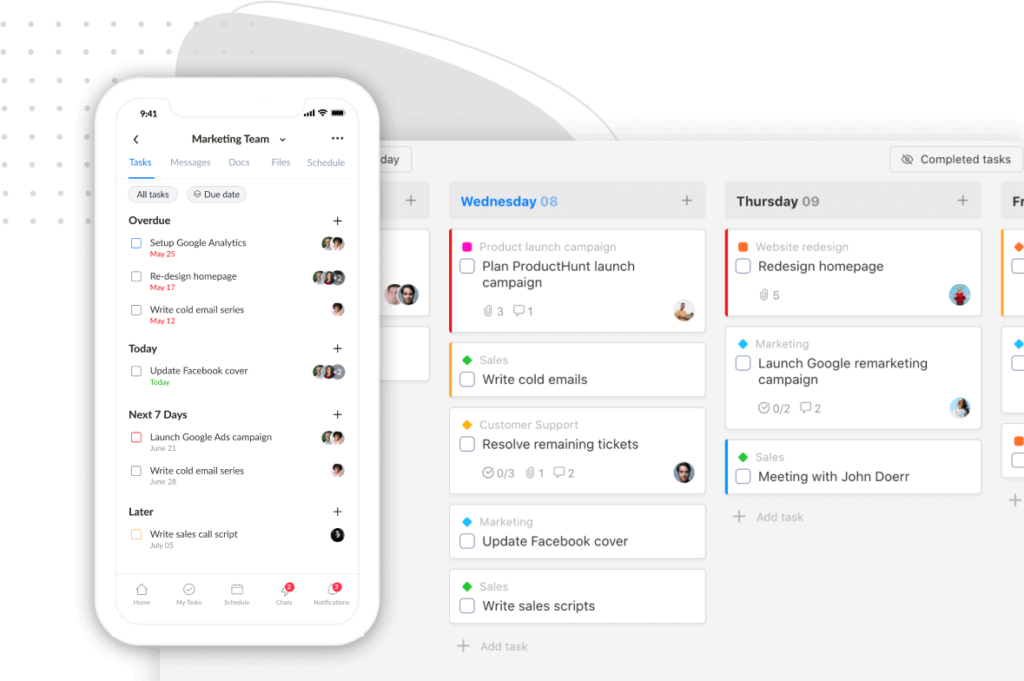
A communication plan template is a structured document that defines who communicates what, to whom, through which channel, and when.
It prevents the miscommunication that causes missed deadlines, scope creep, and unhappy stakeholders.
Most templates you will find online are built for large enterprises launching internal initiatives across hundreds of people. They are 10-page Word docs filled with sections on “key messaging pillars” and “situational analysis” that no one reads after the kickoff meeting.
If you run a small team or an agency, you need something leaner.
A one-page plan you can fill out in 15 minutes and actually reference during a project.
We built a free resource board with the best tools, templates, and guides for running a small agency. No signup required.
Browse the Agency Resource Hub →This guide gives you that template, explains each section, and shows you how to customize it for client-facing project work where communication directly affects your profitability.
The one-page communication plan template
Before we get into how to build one, here’s the one-page template we use at Upbase. Download it, open it alongside this guide, and fill it in as you read.
The template has seven sections: project info, stakeholder map, channel rules, communication triggers, ownership roster, escalation path, and client-specific notes. Here is how to fill them in so the plan actually protects your projects.
How to fill in each section
Stakeholder map: know who actually makes decisions
The stakeholder map is the most important section. Without it, you will waste hours managing feedback from someone who cannot approve anything while the actual decision-maker stays uninformed.
For every project, identify these four roles and put a real name next to each one:
The Decider is the person with budget authority who gives the final yes or no. Usually a founder, VP, or department head.
They want high-level summaries, not play-by-play details. Overcommunicating with them erodes trust; undercommunicating creates surprises they hate even more.
The Point Person is your main point of contact. This is the marketing manager or project lead on the client side who reviews work, answers questions, and keeps things moving.
They need real-time access to your project management tool.
The Beneficiary is the person or department whose work improves because of your project. A sales team waiting on a new lead form, or an ops manager expecting a faster workflow.
They do not need project-level detail. Send them the one deliverable that affects their job, when it is ready.
The Gatekeeper controls access to resources, systems, or approvals you need. IT, legal, and finance contacts fall here.
They can bring progress to a halt if you forget to loop them in at the right moment.
If you cannot name the Decider before a project kicks off, stop and find out. Starting work without knowing who signs off is how you end up with three rounds of revisions from someone who was never authorized to approve anything.
Channel rules: your best defense against scope creep
Channel rules define where each type of communication happens. This is the section that protects your profitability.
Without channel rules, clients default to whatever is easiest for them: a text at 9 PM, a Slack DM, a reply buried in an email thread. Every one of those messages is a tiny scope leak.
You cannot track decisions scattered across five platforms. You cannot bill for work requested in a text you forgot about.
Here is a baseline channel map that works for most project-based teams:
| Communication type | Channel | Why |
|---|---|---|
| Project feedback and approvals | PM tool (task comments on the specific deliverable) | Feedback stays attached to the work. Nothing gets lost. |
| File sharing | PM tool file storage | Single source of truth. No hunting through email attachments. |
| Urgent blockers | PM tool with high-priority flag | Visible to the whole team. Creates a record. |
| Status updates | Shared doc or PM tool dashboard | Async. No meetings required for routine updates. |
| Contracts, invoices, legal | Paper trail you can reference later. | |
| Quick questions, informal chat | Chat tool (Slack, Teams, or built-in chat) | Keeps informal chatter out of the project record. |
The rule that matters most: your project management tool is the single source of truth. Any communication that happens outside of it does not count as an official request, approval, or piece of feedback.
When a client emails you a “quick tweak,” your channel rules give you a professional way to reply: “Can you add that as a comment on the task in [PM tool]? That way it gets scoped and tracked properly.” You did not say no, you enforced the process.
Upbase tip: In Upbase, you can share a single task or a specific doc with a client without giving them access to your entire workspace. This removes the “I don’t want to learn a whole new tool” objection.
Communication triggers: replace scheduled meetings with event-driven updates
Most templates obsess over cadence: weekly reports, biweekly check-ins, monthly reviews. The problem is that calendar-driven communication creates dead time.
Your client does not care about a scheduled Friday report. They care about seeing the wireframe the moment it is ready for their review.
A trigger is a specific project event that requires communication. Triggers keep projects moving because updates are tied to progress, not the calendar.
Here are the triggers every project plan should include:
| Trigger event | Action | Who is notified |
|---|---|---|
| Deliverable uploaded for review | Notify client to provide feedback | Point Person |
| Client feedback submitted | Assign revision task to team | Project lead |
| Milestone completed | Send summary to Decider | Decider |
| Budget hits 75% of estimate | Flag to PM and Decider | PM + Decider |
| Scope change requested | Route to Change Request process | PM |
| Deliverable overdue by 48 hours | Escalation sequence starts | Point Person, then Decider |
| Technical dependency needed | Notify Gatekeeper | Gatekeeper |
You will still have some scheduled communication, like a weekly status update and a monthly summary for the Decider. But the majority of your plan should be trigger-based, not calendar-based.
Ownership roster: one name per responsibility
Ambiguity about who handles what slows projects down. The ownership roster eliminates that by assigning a single point of contact for each key area.
Keep it simple:
| Area | Owner |
|---|---|
| Billing and contracts | [Agency owner or ops lead] |
| Technical questions | [Lead developer or tech lead] |
| Timeline and status | [Project manager] |
| Creative direction | [Creative director or design lead] |
| Client relationship | [Account manager] |
Share this with the client at kickoff. It stops a junior marketer from asking your designer about an invoice, and it stops your developer from fielding questions about the timeline.
Escalation paths: pre-built responses for when things go wrong
Things will go wrong: a client will miss a feedback deadline, a deliverable will be late, an unexpected technical blocker will surface. The question is whether your team has a pre-built response or has to improvise in the moment.
An escalation path is a simple if-then chain:
If a client deliverable is 48 hours late, then the PM emails the Point Person with a specific subject line: “Action needed: [deliverable name] feedback overdue.”
If no response within 24 hours, then the PM calls the Point Person.
If still no response within 24 hours, then the agency owner contacts the Decider directly.
Write out two or three escalation paths for the most common failure points in your projects. Client feedback delays, internal missed deadlines, and budget overruns are the three that matter most for agency work.
Customizing the template for different stakeholders
A common mistake is blasting every stakeholder with the same updates. The CEO does not need daily task progress, and the IT manager does not need your creative brief.
Sending irrelevant information trains people to ignore your messages entirely.
Here is how to customize communication for each stakeholder type, using a website redesign as an example:
CEO (Decider): One paragraph via email on the 1st of each month covering budget status, timeline, and the next major milestone. Nothing else.
Marketing director (Point Person): Guest access to your project management workspace where they see tasks, review designs, and leave comments in real time. This replaces most status meetings.
Sales manager (Beneficiary): No project tool access needed. Send one thing: a direct link to the staging page with the lead form prototype, the moment it is ready for review.
IT manager (Gatekeeper): Two emails total. Server requirements checklist during week one, and pre-launch security scan results one week before go-live.
This approach is what we call the Stakeholder Signal-to-Noise Ratio (SNR) method: every message you send should have a high signal-to-noise ratio for its specific recipient. If a stakeholder is archiving your updates without reading them, you are either sending too much or sending the wrong content.

How to get clients to actually follow the plan
Building the plan is the easy part. Getting clients to use it is where most teams fail.
The mistake is emailing a formal document and asking for sign-off. Instead, introduce the plan during the kickoff meeting as a benefit to the client, not a set of rules they have to follow.
Frame it as their advantage
Here is what this sounds like in practice:
“We run all project communication through your dedicated workspace. This is great for you because everything, files, feedback, approvals, and status, lives in one organized place. You will never have to dig through old email threads or wonder where something stands. It is all there for you, anytime.”
You are not talking about your rules. You are selling them efficiency and visibility.
Redirect bad habits consistently
Clients will slip and text you a request or email feedback that should be a task comment. How you respond matters more than the plan itself.
When they text a request: Wait until business hours. Reply inside your PM tool: “Got your text about the headline change. Just added it as a comment on the task here so it is tracked and does not get lost.”
When they email feedback: Reply immediately: “Thanks for this. I have copied it into the task in [PM tool] so it is tied directly to the design file. You can see it here: [link].”
When they want a “quick call” for feedback: “Happy to jump on a call. Could you drop the main points into the project doc first? That way I can pull up the right files before we chat.”
This is gentle, consistent redirection. After two or three redirections, most clients get it.
A project management tool with a client portal makes this easier because the client-facing experience is simple and focused.
Communication plan vs. communication strategy: what is the difference?
These terms get used interchangeably, but they are different things:
| Communication plan | Communication strategy | |
|---|---|---|
| Scope | One project or engagement | Organization-wide or long-term |
| Time frame | Duration of the project | Ongoing, reviewed quarterly or annually |
| Detail level | Specific names, channels, triggers, dates | Broad goals, principles, target audiences |
| Example | “Send weekly status to Maria via shared doc every Friday” | “Build stronger client relationships through proactive transparency” |
| Who uses it | Project managers, account leads | Leadership, marketing directors |
Your communication plan template is the tactical, per-project document. Most small teams need the plan long before they need a formal strategy.
Why communication plans directly affect profitability
For agencies and client-facing teams, a communication plan is a financial tool, not just an organizational one.
Every unscheduled phone call, every out-of-process email, every “quick question” via DM is unbilled time. Multiply that across a dozen clients and you lose 10-15 hours per week to communication that never gets tracked or billed.
A communication plan makes scope creep visible. When a client submits a request through your change request channel instead of a casual text, it becomes a documented ask that you can scope and bill for.
Here is the math: if your team’s billable rate is $150/hour and you recover just 5 hours per week of previously unbilled communication time, that is $39,000 per year in recovered revenue. Per client.
The plan is your first line of defense. Your project management tool that connects communication, tasks, and time tracking is your second.
Try Upbase free. Tasks, docs, chat, time tracking, and profit tracking per client. All in one place, built for small agencies. Start here.
FAQ
How detailed should a communication plan be?
One page. You need six things: stakeholder map, channel rules, triggers, ownership roster, escalation paths, and cadence.
If a new team member cannot understand the plan in 10 minutes, it is too complicated.
Can I use the same communication plan template for every project?
Yes, and you should. Maintain one master template for your agency or team.
At the start of each project, spend 15 minutes customizing it: fill in the stakeholder names, note any client-specific preferences, and adjust the triggers. The core structure stays the same.
What if a client refuses to follow the communication plan?
Redirect them consistently for the first two weeks. Most clients adapt once they see the system is faster than email.
If they keep resisting, have a direct conversation: explain that communication outside the plan causes missed details and delays that cost them money. If they still refuse, you have a client management problem, not a communication plan problem.
What tools do I need to implement a communication plan?
At minimum, you need a project management tool where feedback is tied to specific tasks, a shared document for status updates, and email for contracts. Tools that combine PM, chat, docs, and time tracking in one place (like Upbase) reduce the number of channels you have to manage.
How often should I update the communication plan?
Review it at two points: the project kickoff (to customize the template) and the project midpoint (to fix anything that is not working). Do not treat it as a living document you revise weekly.
If you run an agency, this will feel familiar: Messy client work. No clear profitability. Too many tools. Upbase fixes that!
Start free →