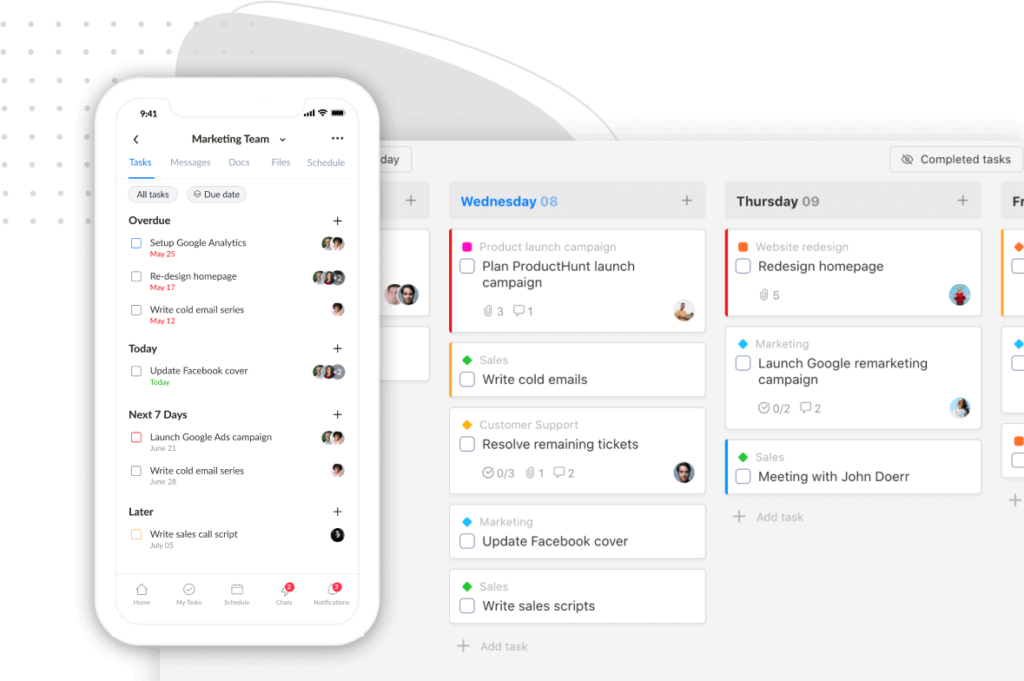
We’ve released a set of powerful updates to give you more clarity, control, and flexibility in how you manage your work.
🔄 “Lists” Are Now Called “Projects”
We’ve renamed Lists to Projects to avoid confusion. Every now and then, users weren’t sure what “List” meant. “Project” just feels more familiar, especially in a project management tool.
🔗 Share New Items with Guests, Automatically
Tired of manually sharing each task, doc, or file with guests? Now, there’s a new option in your Project settings that lets you automatically share newly created items with guests by default.

- You can still control sharing per item.
- This only applies to new items—your existing content won’t be affected.
✅ Project Status Updates
Give your team a clear picture of how things are going. With project status updates, it’s easier than ever to share progress and highlight what needs attention.

Not using this feature? You can turn it off anytime in the “Customize modules” settings.

📅 Saved Filters in Schedule View
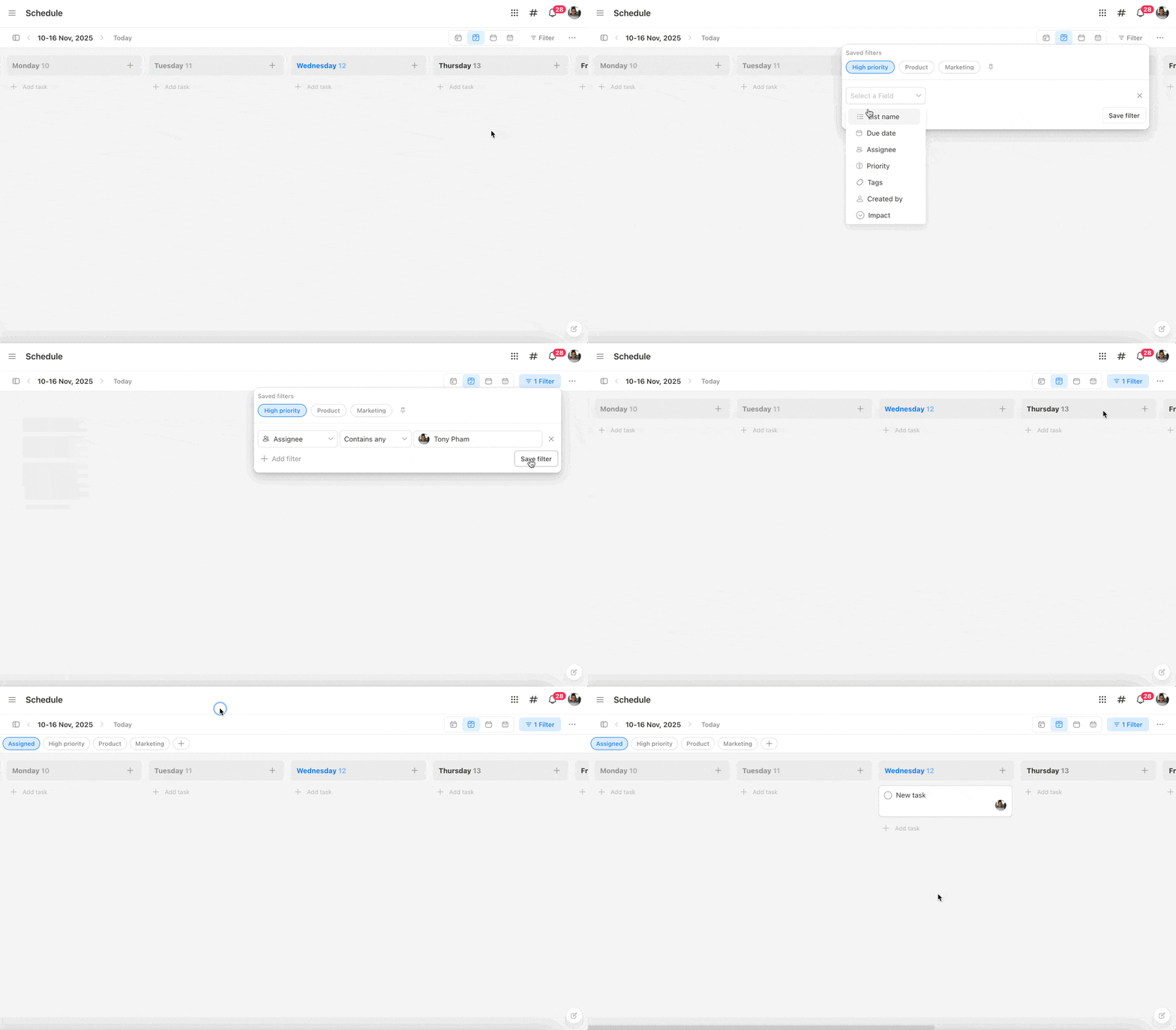
Customize your Weekly Planner, Weekly Calendar, and Monthly Calendar with advanced filters, and save them for future use!

- Create and save filters to quickly focus on what matters.
- Pin them to the top bar for one-click access.
- Filters are private, so each teammate can create their own.
- Plus, we fixed a bug affecting filters with recurring tasks.
✨ Pro Tips:
- If you filter by tasks assigned to you, new tasks will auto-assign to you.
- If you’re filtering by a single list, new tasks will go to that list by default.
🗓 Project Owner, Start & Due Dates
Every project now has a clear owner, along with start and due dates. This makes it easier to track timelines and know who’s leading what.

⚙️ Customize Your Top Sidebar Menu
Now you can show, hide, and rearrange items in the top sidebar – so your workspace looks and works the way you want. And don’t worry, your changes are just for you. Everyone else gets to set theirs up how they like.

P.S. Not seeing the updates? Try a hard refresh on your browser to make sure you’re using the latest version of Upbase.
Thanks for being part of the Upbase journey! 🚀
Recent updates
- New in Upbase: Bulk task creation, better sharing controls, and more January 29, 2026
- ⏰ 24 hours left + Public task board sharing, and more January 15, 2026
- Big news to start 2026: Last Lifetime Deal + major updates January 8, 2026
- New in Upbase: Meet the New & Improved Chat 🎉 October 31, 2025
- New in Upbase: Cover images for Docs, Sticky TOC, and more August 22, 2025