Before we get into what’s new, one important reminder 👇
⏰ Final reminder: Lifetime Deal ends in 24 hours
This is your last chance ever to get Upbase on a Lifetime Deal.
As Upbase enters a new phase, we’re permanently retiring the Lifetime Deal.
It’s no longer available publicly—except for this final window, which ends in 24 hours.
- One-time payment
- No subscriptions, no renewals
- Never offered again
👉 Grab the Lifetime Deal here:
https://buy.stripe.com/eVqfZg88egyccKvfxcc3m0e
⏳ Expires January 16. Once it’s gone, it’s gone for good.
🚀 New: Public sharing for task boards
You can now publicly share a task board with a simple link—no Upbase account required to view. Learn more

Perfect for:
- Sharing work with clients
- Publishing resources or templates
- Showing how you run projects—without exposing your internal workspace
What’s included
- Public task boards with clean, client-friendly views
- Embeddable boards for websites and landing pages
💸 Bonus: Earn with affiliate links
If you’re part of the Upbase Affiliate Program, you can now add your affiliate link directly to the Upbase logo on any public board or doc. Learn more
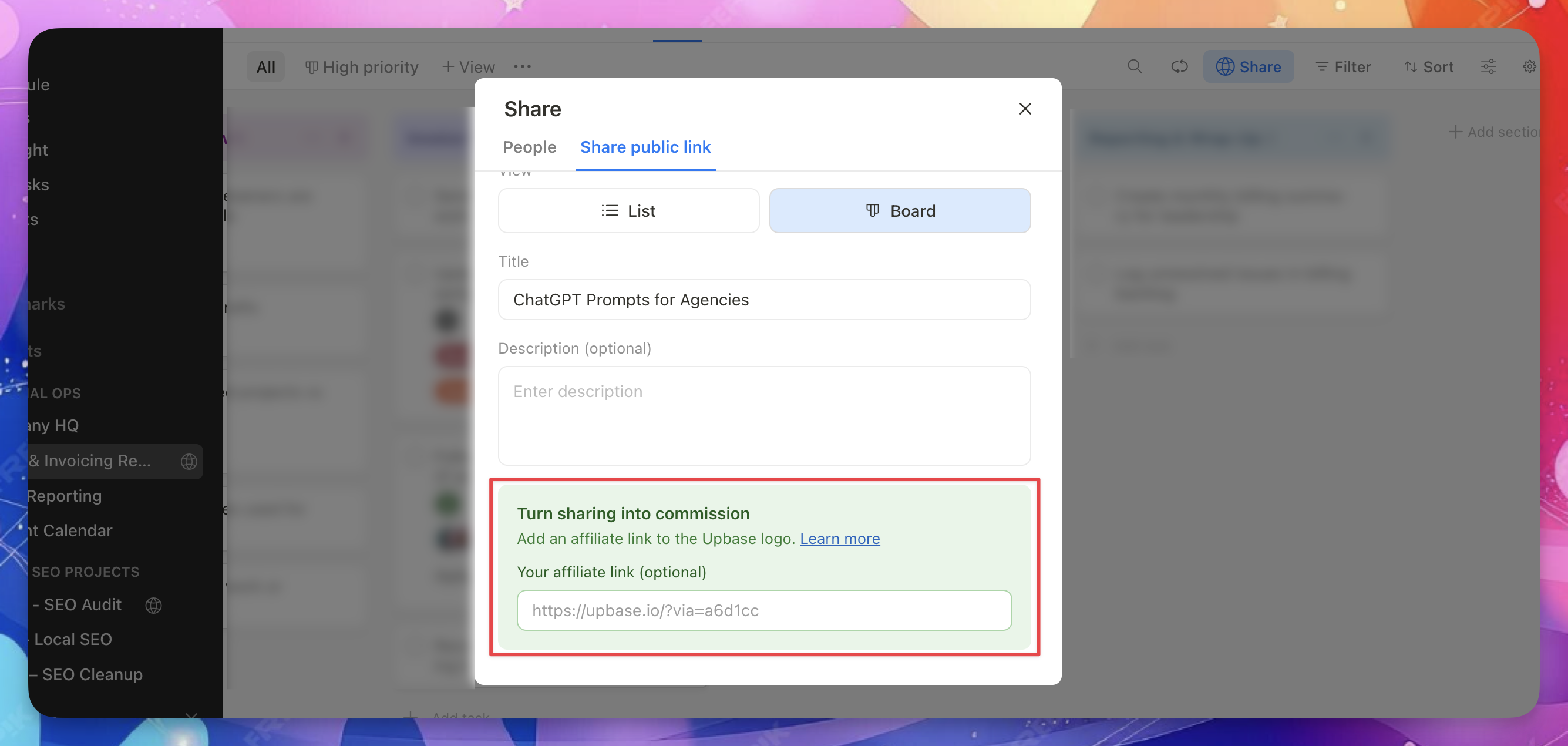
How it works
- Someone views your public page
- They click the Upbase logo
- If they later become a paying customer, you earn 33% recurring commission
This is an easy way to:
- Monetize public templates
- Share workflows or resources
- Turn public boards into passive income
👉 Add your affiliate link when setting up the public view
👉 Not an affiliate yet? Join at https://upbase.io/affiliate
Updated client access permissions
We’ve made client access more flexible—while keeping sensitive data protected.
Regular members who have access to at least one project for a client can now access that client, with clear limits:
They can access
- Client Dashboard
- See data only from projects they already have access to
- View internal notes and internal resources
- Timesheets
- See only their own time entries
They cannot access
- Client Details page
(This page remains restricted for sensitive client information.) - They cannot rename, archive, or delete clients
This gives teammates the context they need—without opening up everything.
Jump to the client dashboard from any project
We added a client icon to the project top bar.
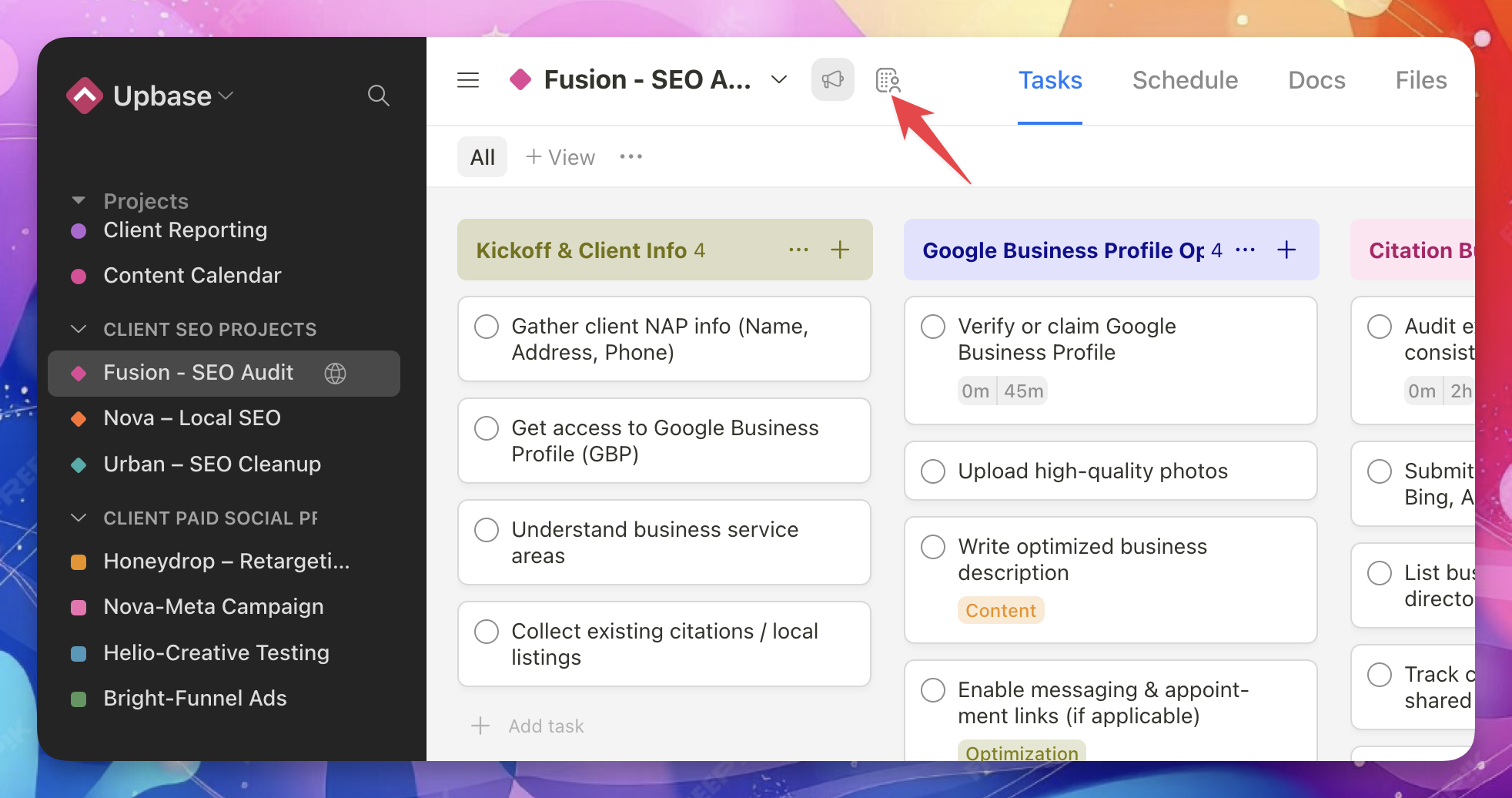
From any client project, you can now go straight to the client dashboard—no extra clicks, no menu digging.
Perfect for quickly checking:
- Overall client status
- Notes and resources
- The bigger picture across projects
That’s it for this update.
As always, thanks for building with Upbase—and don’t forget, the Lifetime Deal ends in 24 hours.
— The Upbase Team
Recent updates
- New in Upbase: Bulk task creation, better sharing controls, and more January 29, 2026
- Big news to start 2026: Last Lifetime Deal + major updates January 8, 2026
- 🎉 New in Upbase: Smarter Guest Sharing, Status Updates, and more December 5, 2025
- New in Upbase: Meet the New & Improved Chat 🎉 October 31, 2025
- New in Upbase: Cover images for Docs, Sticky TOC, and more August 22, 2025