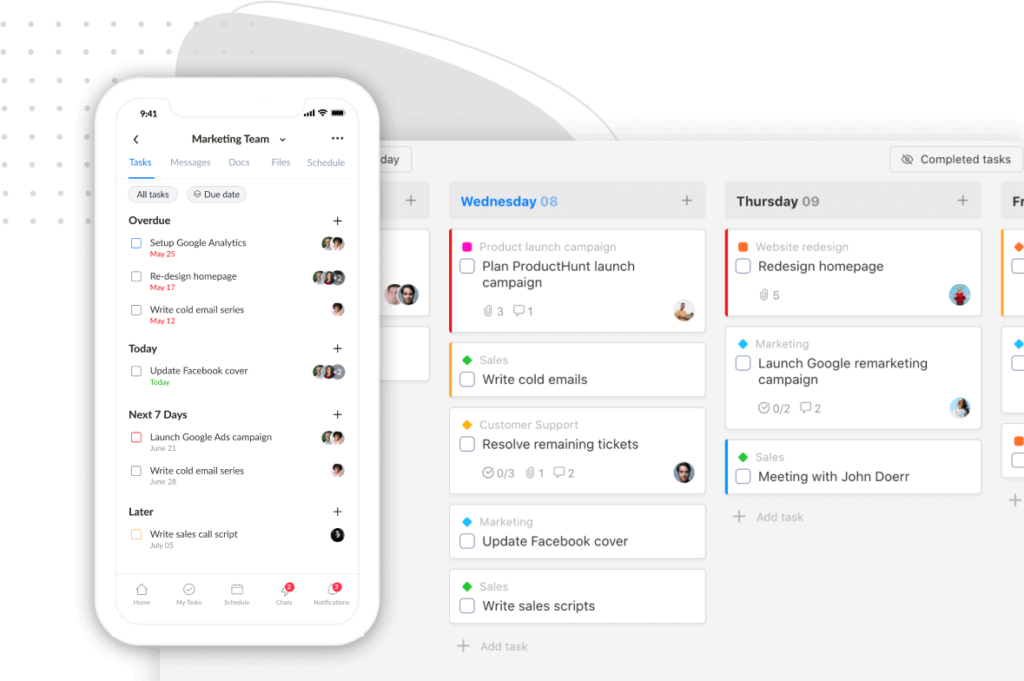
We’re excited to share some brand-new features and improvements in Upbase, designed to make your workflow even smoother. Let’s dive in!
We made a terrible mistake
We recently made some updates to improve our support process, but a glitch caused a number of emails to be archived automatically and overlooked. We sincerely apologize for that, and we’re working hard to make sure it doesn’t happen again.
If you emailed us recently and haven’t received a response, please reach out again. We truly appreciate your patience and understanding.
Cover images for Docs
Make your Docs pop with a beautiful header.
You can now:
- Upload your own cover images
- Or choose from a stunning selection via Unsplash

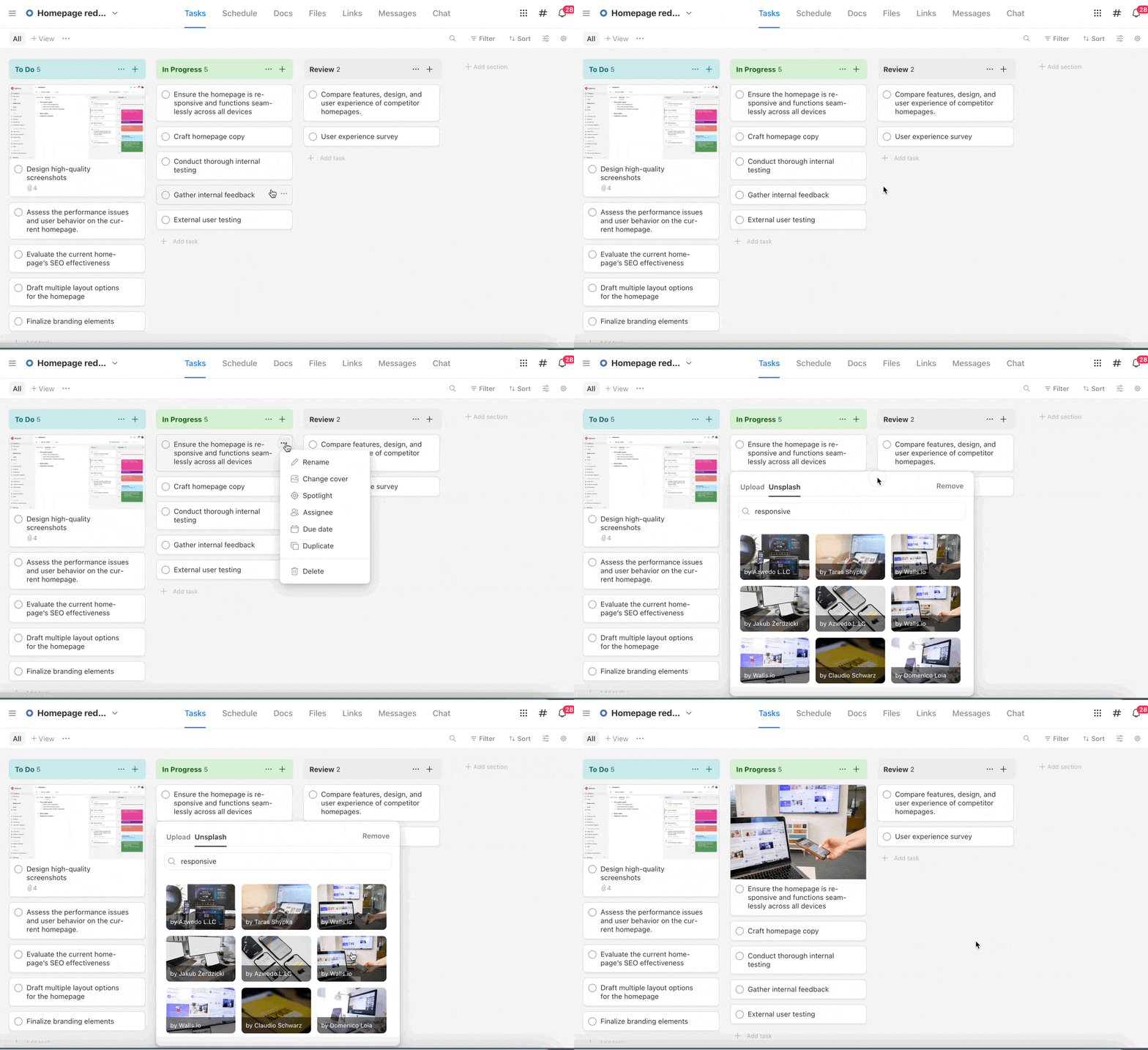
Cover images for Tasks – now with Unsplash!
You’ve always been able to set cover images from attached files – now you can browse and pick from Unsplash too. It’s a quick way to give your tasks more personality.
Here’s how:
- Click the ellipsis icon on a task card and select “Change cover”

- Or open the task detail, click the ellipsis icon, and select “Change cover”

Sticky Table of Contents
In Docs, the TOC now stays fixed as you scroll. Navigate long documents without losing your place.

Full-width View Layout for Docs
Prefer a more spacious canvas? Switch to full-width view in Docs for a wider, more comfortable writing space.

Word & Character Count
Docs now show real-time word and character stats—handy for writing, editing, or staying on track.

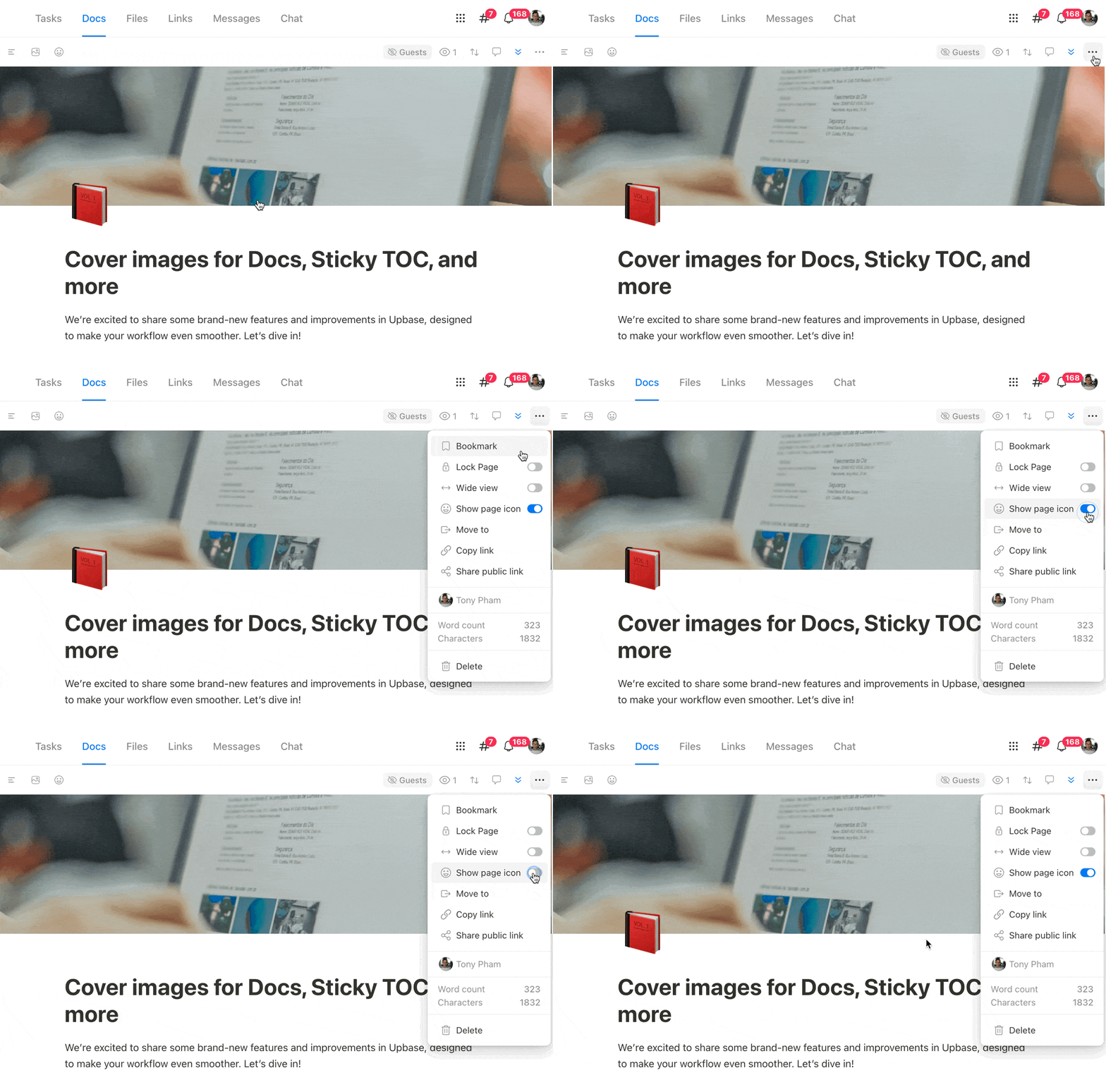
Show or Hide Page Icons
Want a cleaner look? You can now choose whether to display the page icon at the top of each Doc.
As always, we’d love your feedback! Just hit Reply and let us know what you think or what you’d love to see next.
P.S. Not seeing the updates? Try a hard refresh on your browser to make sure you’re using the latest version of Upbase.
Thanks for being part of the Upbase journey! 🚀
Recent updates
- New in Upbase: Bulk task creation, better sharing controls, and more January 29, 2026
- ⏰ 24 hours left + Public task board sharing, and more January 15, 2026
- Big news to start 2026: Last Lifetime Deal + major updates January 8, 2026
- 🎉 New in Upbase: Smarter Guest Sharing, Status Updates, and more December 5, 2025
- New in Upbase: Meet the New & Improved Chat 🎉 October 31, 2025