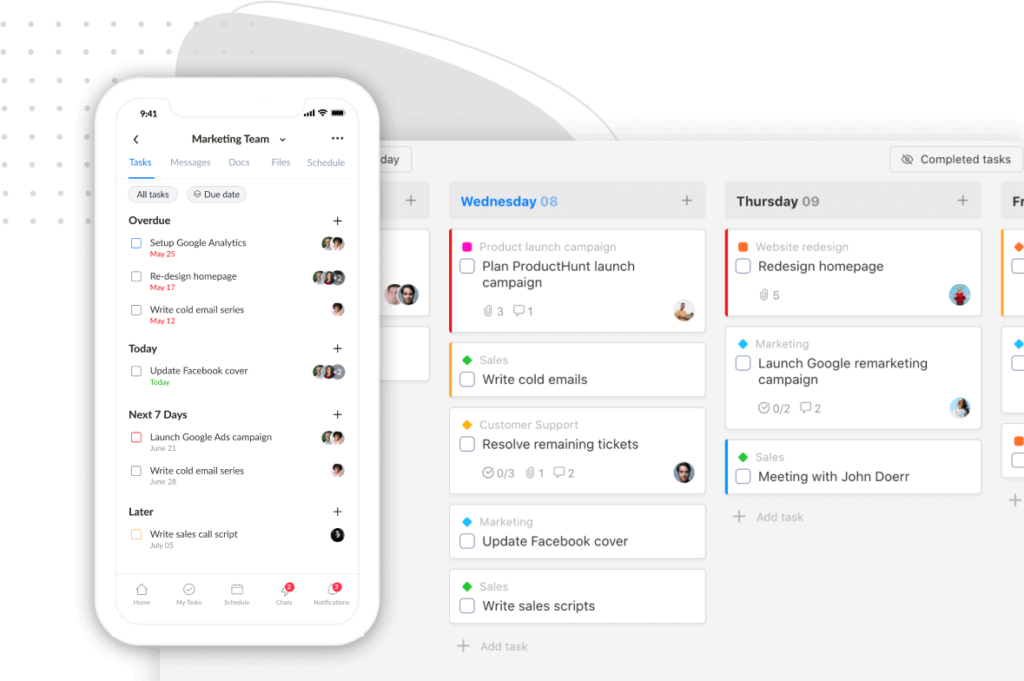
We are thrilled to announce the latest update to the Upbase mobile app, packed with several highly anticipated features and numerous bug fixes.
To access these exciting new features, please make sure to update your Upbase mobile app to the latest version. If the app hasn’t been automatically updated yet, simply go to the App Store or Google Play Store to download the latest version.
Let’s dive right in.
Kanban board view
Get ready to easily manage your tasks with our new Kanban board view. You can access the Kanban board view in My Tasks, Tags, Filters, and the Tasks tab within a list.

Tags and Filters
Quickly filter and search for tasks based on specific criteria to stay organized.
We built a free resource board with the best tools, templates, and guides for running a small agency. No signup required.
Browse the Agency Resource Hub →
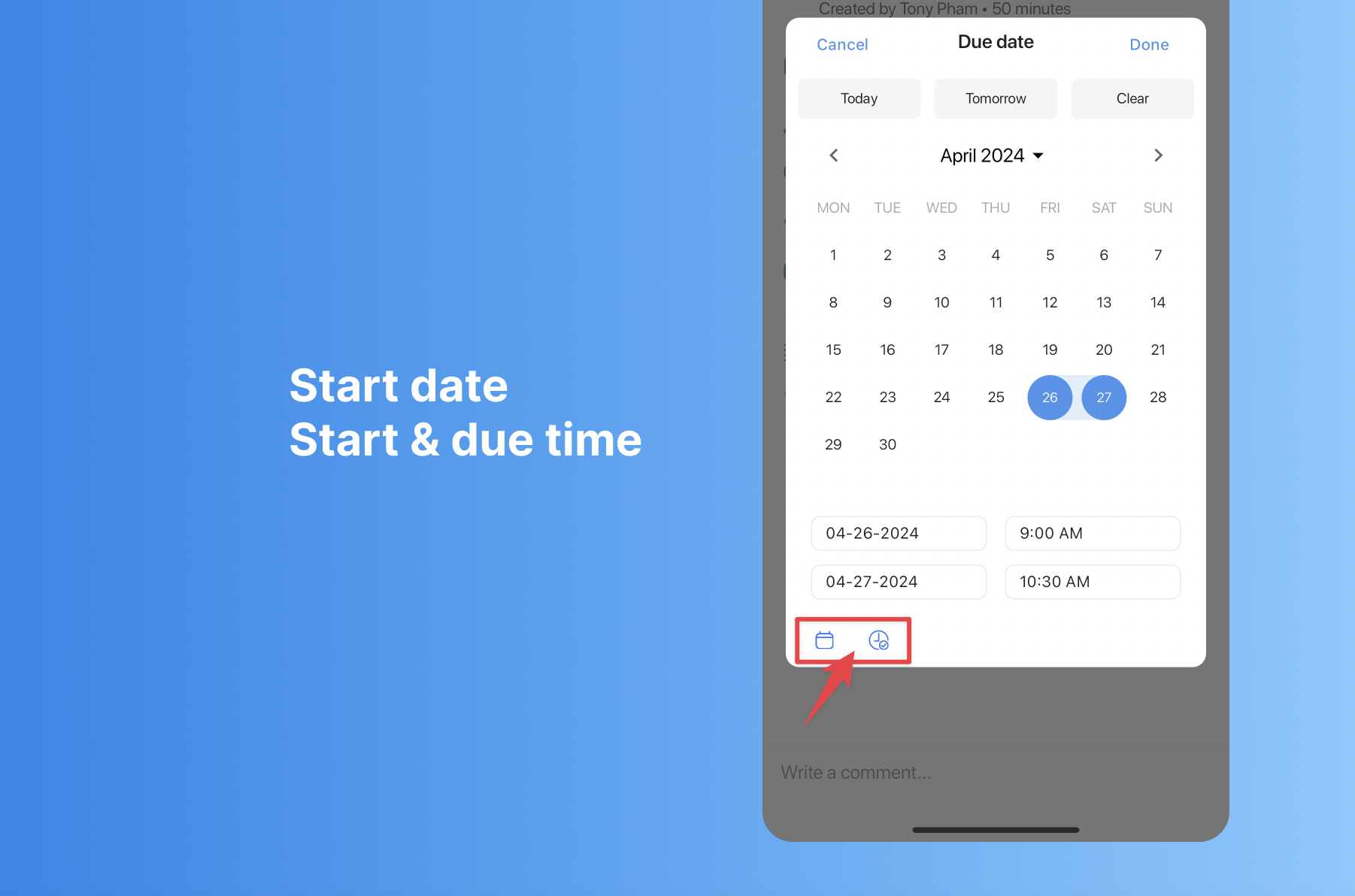
Start date; Start and due time
You can now set start and due times for tasks on the mobile app. Simply open the due date picker and tap the buttons in the bottom left corner.
Numerous Bug Fixes
We’ve listened to your feedback and addressed several bugs and issues to ensure a smoother and more reliable user experience. From minor glitches to performance improvements, this update is designed to enhance overall app stability.
If you encounter any issues, please don’t hesitate to let us know.
Regarding the mobile app, we’re currently working on adding the Calendar view and integrating with Google Calendar. Stay tuned for updates!
Best,
Team Upbase
Recent updates
- 🎉 New in Upbase: Workspace timeline and Daily review May 5, 2026
- 🎉 New in Upbase: Retainer billing and the Profitability Report April 22, 2026
- 🎉 New in Upbase: Profit Tracking and a smarter way to log time March 25, 2026
- New in Upbase: Bulk task creation, better sharing controls, and more January 29, 2026
- ⏰ 24 hours left + Public task board sharing, and more January 15, 2026